 BlackScreen.live
BenQ Professional Monitors Review
BenQ has carved out a strong position in the professional monitor market by focusing on color accuracy and workflow-specific features. The SW series targets photographers with Adobe RGB coverage and print simulation, while the PD series serves designers with wide color gamut and USB-C connectivity.
1. SW Photography Series
The SW270C and SW321C are BenQ's flagship photography monitors. Key strengths to compare before buying:
- Color accuracy: Strong factory calibration claims, still worth validating on your own unit
- Adobe RGB coverage: Wide-gamut support suitable for print photography workflows
- Uniformity: Check white and gray screens before committing to color-critical work
- Hardware calibration: Supported via Palette Master Element software with X-Rite and Datacolor colorimeters
The SW series includes a unique "Black & White" mode that converts the display to grayscale for monochrome photography editing—a feature not found on Dell or ASUS monitors. The built-in SD card reader and USB hub add practical value for photographers.
2. PD Designer Series
The PD2725U and PD3220U target graphic designers and video editors. These monitors offer:
- Thunderbolt 4 / USB-C connectivity with 90W power delivery
- 95% DCI-P3 color gamut coverage
- ΔE < 2 factory calibration
- KVM switch for multi-computer workflows
3. Warranty Policy
BenQ's dead pixel policy for professional monitors is strong:
- SW series: Zero-bright-pixel guarantee for 3 years
- PD series: ISO 9241-307 Class II (2 bright pixels allowed)
- Standard 3-year warranty on all professional models
4. Value Assessment
BenQ professional monitors typically cost 10-20% less than equivalent Dell UltraSharp models while offering comparable color accuracy. The SW series is particularly strong value for photographers who need Adobe RGB coverage and print simulation. The PD series competes well with ASUS ProArt on features and price.
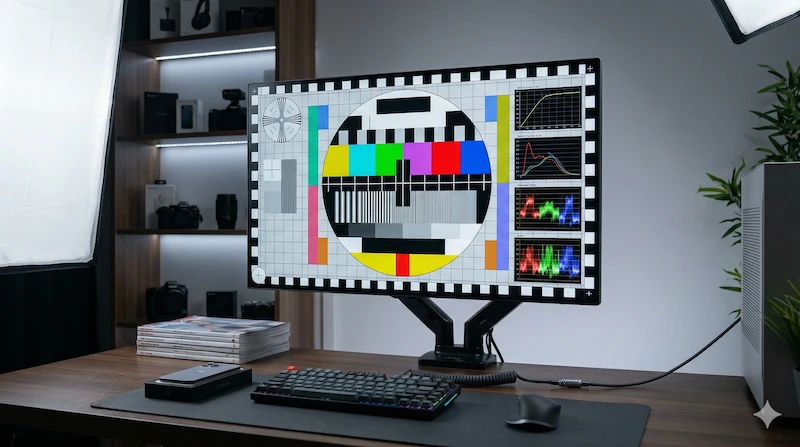
5. Testing Your BenQ Monitor
- Display Test — verify color accuracy and uniformity
- White Screen Test — check white point accuracy
- Monitor Test — complete diagnostic protocol
BenQ vs. Competitors: Value Analysis
BenQ professional monitors occupy a useful position in the market: they often pair wide-gamut panels and hardware calibration support with prices below some Dell UltraSharp and ASUS ProArt alternatives. The SW series is especially attractive for photographers who need Adobe RGB coverage without stepping up to more expensive reference-display brands.
The key differentiator for BenQ is workflow-specific features. The built-in SD card reader, USB hub, and Black & White mode on SW series monitors add practical value that Dell and ASUS don't offer. For photographers who work primarily with monochrome images, the dedicated B&W mode — which converts the display to grayscale for accurate monochrome evaluation — is a genuinely useful feature not found elsewhere at this price point.
The PD designer series competes directly with ASUS ProArt on features and price. Both offer USB-C or Thunderbolt options, wide color gamut, and calibration-focused workflows. The choice often comes down to specific features: BenQ PD models emphasize KVM and workflow controls, while ASUS ProArt models may be a better fit for users already invested in the ASUS creator ecosystem.
One area where Dell remains easier to evaluate is warranty clarity. While the BenQ SW series offers zero-bright-pixel coverage, Dell's Premium Panel Guarantee is more widely recognized and easier for many buyers to compare. For users who prioritize support above all else, Dell remains the safer choice despite the higher price.
For the complete picture on professional monitor selection, see our professional monitor setup guide and our monitor calibration guide. Always test your BenQ monitor within the return window using our monitor test to verify color accuracy and uniformity before your return window closes. For official BenQ product information, visit BenQ Professional Monitors.