 BlackScreen.live
Viewing Angle Science
Every LCD monitor specification sheet lists viewing angles of 170° or 178° horizontal and vertical. Yet anyone who has looked at a TN panel from the side knows that colors shift dramatically at even moderate angles. The 178° specification is technically accurate but practically misleading—understanding why requires knowing what it actually measures.
1. What the 178° Specification Measures
The viewing angle specification measures the angle at which the contrast ratio drops to 10:1 (from the typical 1000:1 at center). At 10:1 contrast, the display is still technically "viewable"—you can distinguish content—but colors may be significantly shifted and washed out.
This is why a TN panel can claim 170° viewing angles while showing severe color inversion at 45°: at 45°, the contrast ratio might be 50:1 (still above 10:1), but colors are dramatically shifted. The specification is technically correct but practically useless for evaluating real-world viewing angle performance.
2. The Physics of Viewing Angle Variation
Viewing angle performance is determined by how liquid crystal molecules are aligned and how they interact with polarized light at different angles.
TN (Twisted Nematic) — Worst Viewing Angles
TN panels align liquid crystals in a helical twist between the two glass substrates. When viewed from the side, the effective optical path through the liquid crystal layer changes significantly, causing the polarization state to shift. This results in severe color inversion (colors appear inverted) when viewed from below, and brightness/color shift from the sides.
The asymmetric viewing angle of TN panels (better horizontal than vertical) is a direct consequence of the helical crystal alignment direction.
IPS (In-Plane Switching) — Good Viewing Angles
IPS panels align liquid crystals parallel to the glass substrate and rotate them in-plane (horizontally) when voltage is applied. This alignment is more symmetric when viewed from different angles, resulting in much less color shift. However, IPS panels still show some color shift at extreme angles, and the characteristic IPS glow becomes more pronounced at off-axis viewing.
VA (Vertical Alignment) — Moderate Viewing Angles
VA panels align liquid crystals perpendicular to the glass substrate. This alignment produces excellent contrast when viewed straight-on (crystals block light effectively) but shows significant color shift at moderate angles (30-45°). The color shift in VA panels is particularly noticeable as a shift toward blue or green at off-axis positions.
OLED — True Wide Viewing Angles
OLED panels are self-emissive—each pixel generates its own light. There is no liquid crystal layer to cause polarization-dependent color shift. OLED panels maintain accurate color at virtually any viewing angle, with only a slight brightness reduction at extreme angles. This is the only display technology that genuinely delivers the "178°" viewing angle experience.
3. IPS Glow and Viewing Angle
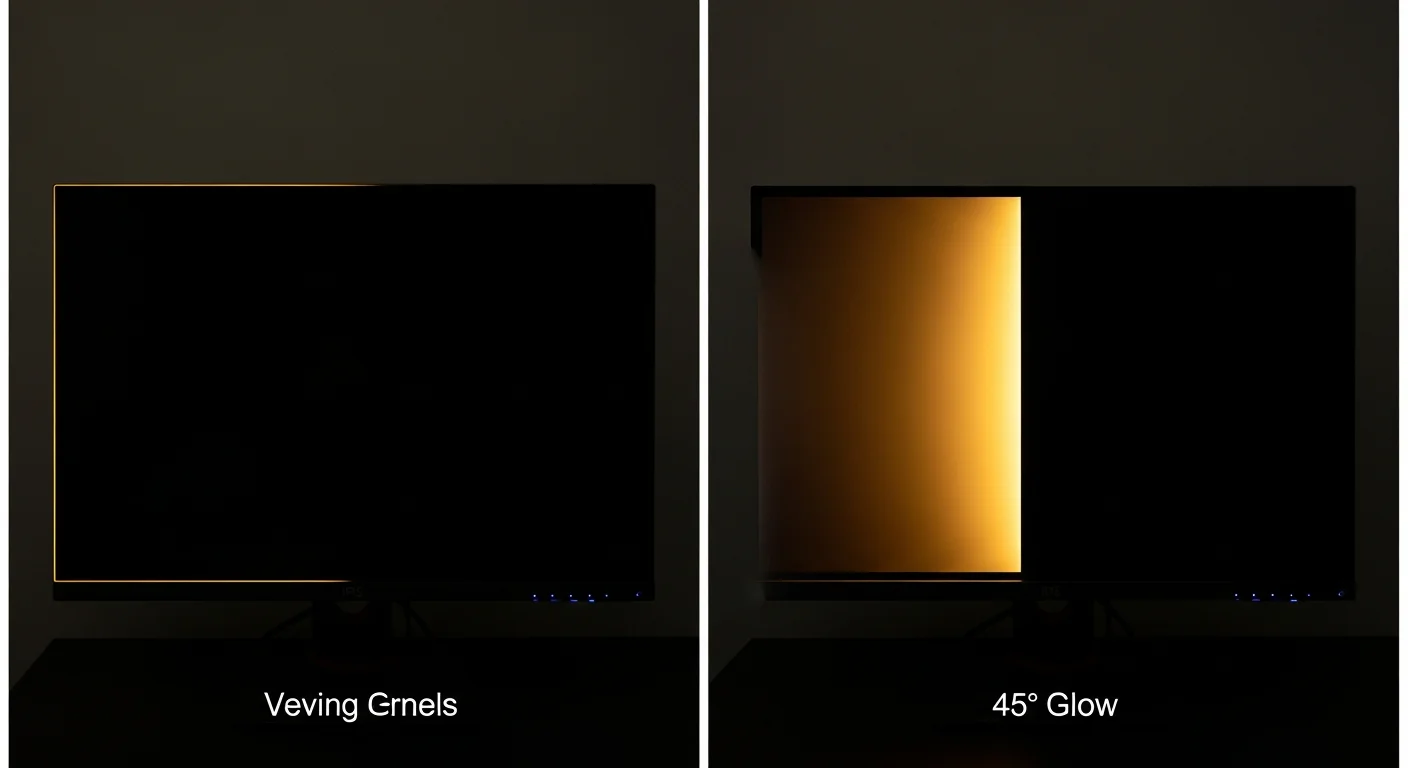
IPS glow is directly related to viewing angle physics. The glow appears in the corners of IPS panels when viewed in dark rooms because the liquid crystal alignment at the panel edges is less perfect than at the center, causing more light to scatter at oblique angles. Moving your head changes the apparent position and intensity of IPS glow because you're changing the viewing angle to those edge regions.
This is why IPS glow is a normal characteristic of IPS technology, not a defect—it's a consequence of the same liquid crystal alignment that gives IPS its wide viewing angles. See our IPS glow vs backlight bleed guide for how to distinguish normal glow from defects.
4. Practical Implications
- Single-user desktop: All panel types work well when viewed straight-on. TN is acceptable if you never look from the side.
- Multi-user or shared viewing: IPS or OLED required. VA is acceptable for horizontal sharing but poor for vertical angle variation.
- Professional color work: IPS or OLED required. Color accuracy must be maintained at your working viewing angle.
- Ultrawide monitors: IPS or OLED strongly preferred. The wide screen means the edges are viewed at significant angles from center.
5. Testing Viewing Angle Performance
Use our display test to evaluate viewing angle performance. Display a white screen and view from 45° angles—note any color shift or brightness reduction. For IPS panels, use our black screen test to evaluate IPS glow at different viewing angles.
Sources & Further Reading
Frequently Asked Questions
Why do IPS panels have better viewing angles than VA?
IPS panels align liquid crystals parallel to the glass, rotating them in-plane when voltage is applied. This alignment maintains consistent optical properties at wide angles. VA panels align crystals perpendicular to the glass, which produces better contrast but causes significant color shift when viewed off-axis.
What is the practical difference between 178° and 160° viewing angles?
Specified viewing angles are measured at the point where contrast drops to 10:1 — a very low threshold. In practice, color shift and brightness loss begin much earlier. IPS panels maintain accurate color to about 45° off-axis; VA panels show noticeable shift at 20-30°. The specified angle is a marketing metric, not a practical guide.
Does viewing angle affect color accuracy?
Yes, significantly for VA panels. Color accuracy measurements are always taken perpendicular to the panel. At 30° off-axis, VA panels can show ΔE shifts of 10-20 — far outside professional tolerances. IPS panels maintain ΔE below 5 at 45° off-axis, making them suitable for multi-person viewing.
Viewing Angle in Professional Applications
Viewing angle performance has direct implications for professional workflows. Understanding how different panel types behave at various angles helps you choose the right display for your specific professional application.
Color Grading and Video Production
Professional color grading requires consistent color accuracy across the viewing angle range used during evaluation. Colorists typically work directly in front of their reference monitor, but clients and directors may view from off-axis positions. IPS panels maintain color accuracy to approximately 45° off-axis, making them suitable for most professional environments. VA panels show significant color shift at 20-30°, which can cause clients to perceive different colors than the colorist intended.
Photography and Print Work
Photographers evaluating images for print need consistent color across the viewing angle used during evaluation. IPS panels are the standard choice for photography monitors. The key is to always evaluate images from the same position — perpendicular to the panel center — to ensure consistent color assessment. Calibration measurements are always taken perpendicular to the panel, so viewing from off-axis positions will show different colors than the calibrated reference.
Multi-Monitor Setups
In multi-monitor setups, the secondary monitor is often viewed at an angle. IPS panels maintain consistent color at the angles typical of secondary monitor positioning (15-30° off-axis), making them the preferred choice for multi-monitor professional workstations. VA panels can show noticeable color shift at these angles, making color matching between primary and secondary monitors difficult. Use our display test to evaluate your monitor's viewing angle performance at your actual working positions.
Gaming and Entertainment
For gaming, viewing angle matters less than for professional work — most gamers sit directly in front of their monitor. However, ultrawide monitors (34"+) require good viewing angles because the edges of the screen are inherently viewed at an angle. IPS and OLED panels maintain consistent color across the wide viewing angle of ultrawide displays. VA panels can show color shift at the edges of large ultrawide monitors, which is particularly noticeable in games with large areas of uniform color.