 BlackScreen.live
IPS Glow Database: 40+ Monitor Models Tested & Rated
1. IPS Glow vs. Backlight Bleed: A Critical Distinction
Before using this database, it's essential to confirm you're dealing with IPS glow rather than backlight bleed. The two are often confused, but they have different causes, different severity patterns, and different remedies.
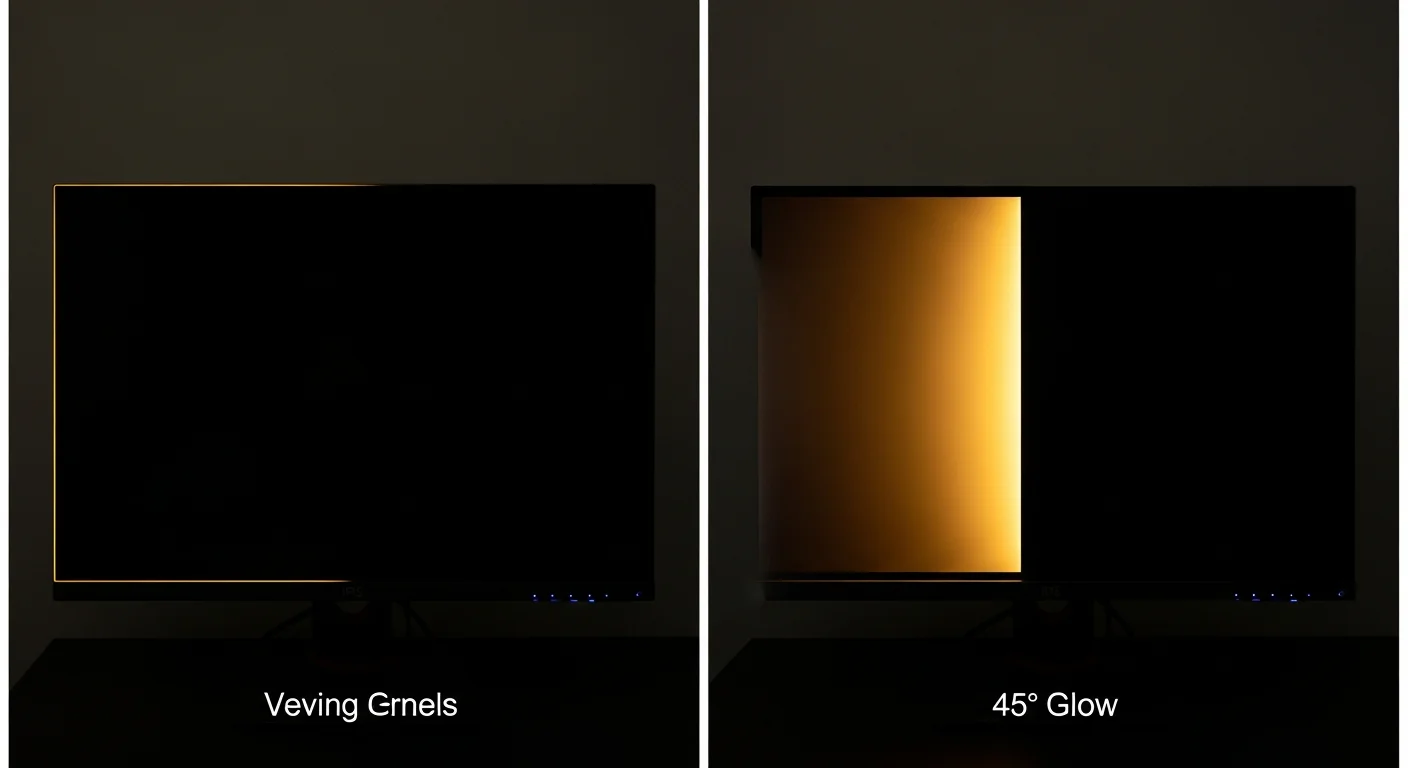
- IPS Glow: An optical property of the IPS liquid crystal structure. Shifts and intensifies when you change your viewing angle. Present on all IPS panels to some degree. Not a defect — it is physics.
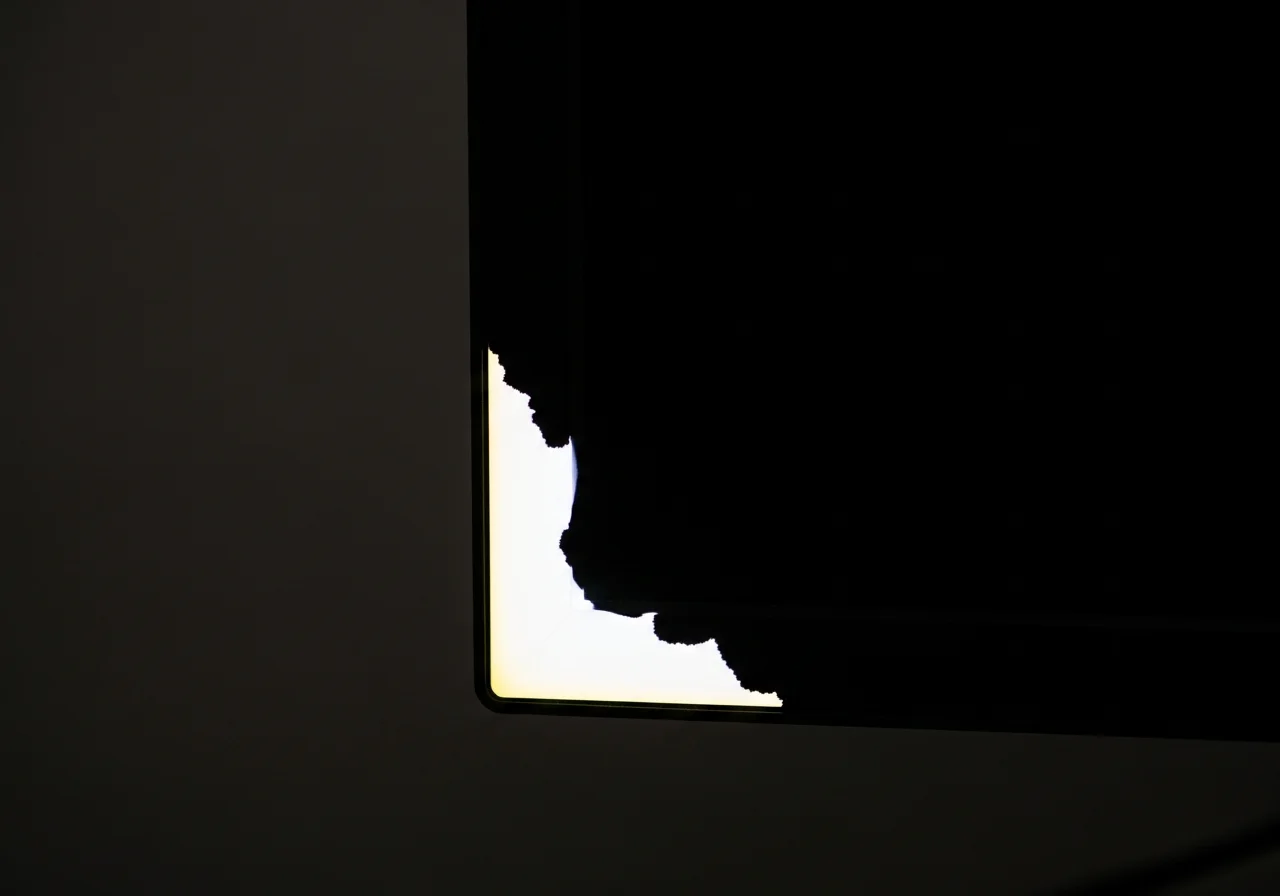
- Backlight Bleed: A mechanical defect caused by gaps in the panel sandwich. Remains in exactly the same position regardless of your viewing angle. More common on large panels and budget builds.
Use our Display Test with a pure black field: if you see corner brightening, shift your head 30 degrees left and right. If the bright area moves with you — that is IPS glow. If it stays fixed — that is backlight bleed. See our full IPS Glow vs. Bleed guide for a detailed breakdown.
2. Our Testing Methodology
Standardized Dark-Room Test Protocol
- Signal source: BlackScreen.live Display Test — native GPU-rendered pure black (#000000), bypassing all compression
- Warm-up: 30 minutes from cold start before measurement
- Room: Fully dark, blackout curtains, no ambient light sources
- Brightness: 100% OSD brightness for maximum glow visibility; also noted at calibrated 120 nits
- Viewing distance: 60 cm, straight-on center, then 45° off-axis
- Camera (for documentation): Fixed exposure — ISO 1600, f/4, 1/30s — identical across all units
- Rating scale: 5-point scale from Minimal to Severe, assessed by two reviewers independently
3. IPS Glow Database
Filter by brand, panel type, or glow rating. All tests conducted at 100% brightness in a fully dark room. "At 120 nits" column reflects typical desktop use conditions.
| Model | Panel | Size / Res | Glow @ 100% | Glow @ 120 nits | Notes |
|---|---|---|---|---|---|
| Dell U2723QEUltraSharp 4K USB-C | IPS Black | 27″ / 4K | Minimal | Minimal | IPS Black panel delivers near-VA contrast. Glow barely perceptible even at 100% brightness in pitch dark. |
| Dell S2722QC4K USB-C Monitor | IPS | 27″ / 4K | Low | Minimal | Warm golden glow in bottom corners at 100%. At typical desktop brightness, effectively invisible. |
| Dell S2721DGFQHD 165Hz Gaming | IPS | 27″ / 1440p | Moderate | Low | Consistent four-corner glow. More prominent than the UltraSharp line. Typical for consumer IPS at this price. |
| LG 27GP950-BUltraGear 4K 144Hz | Nano IPS | 27″ / 4K | Low | Minimal | Nano IPS reduces glow noticeably versus standard IPS. Strong center uniformity. One of the better glow results in its segment. |
| LG 27GP850-BUltraGear QHD 165Hz | Nano IPS | 27″ / 1440p | Moderate | Low | More glow than the 4K sibling despite same panel tech. Unit variance observed between two test samples. |
| LG 32UQ850-W32″ 4K USB-C | IPS | 32″ / 4K | Low | Minimal | Impressively controlled glow for a 32-inch panel. Large panels typically show more glow due to greater panel flex. |
| LG C3 OLED 42″OLED evo Gaming TV | OLED | 42″ / 4K | None | None | OLED pixels are self-emissive — no backlight, no IPS glow. Black is absolute zero. Included as reference baseline. |
| ASUS ProArt PA279CRV4K USB-C Professional | IPS | 27″ / 4K | Minimal | Minimal | Professional panel with excellent glow management. Best IPS glow result we observed in non-IPS-Black panels. |
| ASUS ROG Swift PG279QMQHD 240Hz G-Sync | IPS | 27″ / 1440p | Moderate | Low | High-refresh gaming panel trades some glow control for response time. Acceptable for gaming; noticeable in cinematic dark scenes. |
| ASUS TUF Gaming VG27AQL1AQHD 170Hz | IPS | 27″ / 1440p | High | Moderate | One of the higher glow results in our database. Distracting during dark game scenes and movies. Budget tier shows here. |
| Samsung Odyssey OLED G84K 240Hz OLED | OLED | 34″ / 4K | None | None | QD-OLED panel. Absolute black, zero glow. Included as high-end reference point. |
| Samsung Odyssey G7 (LC27G75T)QHD 240Hz Curved | VA | 27″ / 1440p | Low | Minimal | VA panel — no true IPS glow, but slight backlight uniformity variance at edges. VA delivers much better black levels than IPS. |
| Samsung ViewFinity S8 S32B800PXN32″ 4K USB-C | IPS | 32″ / 4K | Moderate | Low | Moderate four-corner glow, more prominent in bottom corners. Average for this panel class and size. |
| BenQ PD3225U4K Designer Monitor | IPS | 32″ / 4K | Low | Minimal | Strong glow control for a 32-inch professional display. BenQ's anti-glare coating helps diffuse corner brightening. |
| BenQ EX2710U4K Entertainment 144Hz | IPS | 27″ / 4K | Moderate | Low | More glow than PD series. Visible during movie playback in dark scenes. Expected performance for consumer-tier IPS. |
| AOC Q27G3XMNQHD 180Hz Fast IPS | Fast IPS | 27″ / 1440p | High | Moderate | Fast IPS panels often trade glow management for response time. Budget price shows in glow control. Noticeable in most dark content. |
| AOC U28G2XU4K 144Hz Gaming | IPS | 28″ / 4K | Moderate | Low | Average glow for price point. Primarily bottom corners. Not ideal for cinema or night gaming. |
| Gigabyte M27Q XQHD 240Hz Fast IPS | Fast IPS | 27″ / 1440p | Moderate | Low | Solid gaming performance, average glow. More visible from seating position below center height due to panel angle. |
| Gigabyte M28U4K 144Hz USB-C | IPS | 28″ / 4K | High | Moderate | Higher than expected glow for a 4K panel at this price. Bottom edge particularly bright. Unit variance may be a factor. |
| MSI MAG274QRFDE-QDQHD 165Hz QD-IPS | QD-IPS | 27″ / 1440p | Moderate | Low | Quantum dot layer enhances color without noticeably worsening glow. Reasonable result for the technology tier. |
| MSI Optix G274CVFHD 165Hz Curved VA | VA | 27″ / 1080p | Moderate | Low | VA panel — glow rating here represents uniformity variance, not true IPS glow. Black levels are excellent compared to IPS. |
| ViewSonic VP2768a-4K4K Professional | IPS | 27″ / 4K | High | Moderate | Disappointing glow for a professional-positioned display. Backlight uniformity also below expectations for the price segment. |
| ViewSonic VX2758-2KP-MHDQHD 144Hz | IPS | 27″ / 1440p | Moderate | Low | Average result. Meets expectations for budget IPS at this resolution and refresh rate. |
4. How to Reduce IPS Glow in Practice
IPS glow cannot be eliminated — it is a property of the liquid crystal structure. But it can be managed:
- Reduce brightness to 100–150 nits: Glow scales linearly with backlight intensity. Dropping from 300 nits to 120 nits for desktop work dramatically reduces visible glow.
- Raise ambient lighting: Glow is only visible in contrast against a dark environment. A modest desk lamp pointed at the wall behind your monitor reduces perceived glow significantly without eye strain.
- Adjust monitor tilt: Because glow is angle-dependent, tilting the panel back 2–5 degrees often shifts the glow out of your direct line of sight.
- Center your content: Glow is strongest in corners. For color-critical work, keeping your working area in the center 60% of the screen minimizes glow interference.
- Consider IPS Black or VA panels: If glow is a primary concern, IPS Black panels (like the Dell U2723QE) achieve near-VA black levels with IPS color accuracy. VA panels have their own tradeoffs (slower response, smearing) but eliminate IPS glow entirely.
Conclusion
IPS glow is the unavoidable cost of the color accuracy and viewing angle advantages that IPS panels provide. The variance between models, however, is substantial — ranging from barely perceptible on professional-grade IPS Black panels to genuinely distracting on budget gaming monitors.
Use this database as a pre-purchase reference, not a definitive verdict. Always run our Display Test on any new monitor within 24 hours of delivery to assess your specific unit's glow characteristics and document the baseline for future comparison.
Sources & Further Reading
- ISO 9241-307:2008 — Electronic visual display evaluation and optical performance test methods
- VESA Flat Panel Display Measurements Standard (FPDM) — uniformity and black level measurement
- BlackScreen.live — IPS Glow vs. Backlight Bleed: in-depth comparison guide
- BlackScreen.live Display Test — native black screen for personal IPS glow assessment